
A profile that keeps play, progress and style in one place.
The profile brings together player identity, games, puzzles, badges and statistics. Forge style appears publicly only when the app has a stable enough reading.
Profile, Style and BlitzForge Echo.
Screenshots show player profile, style and progression journal.
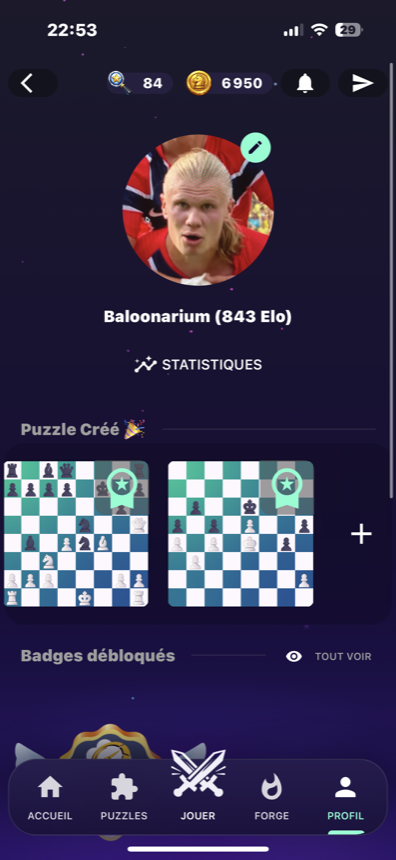
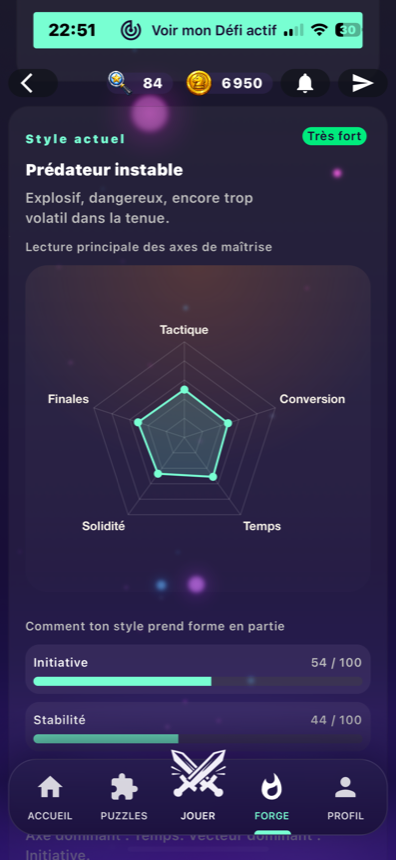
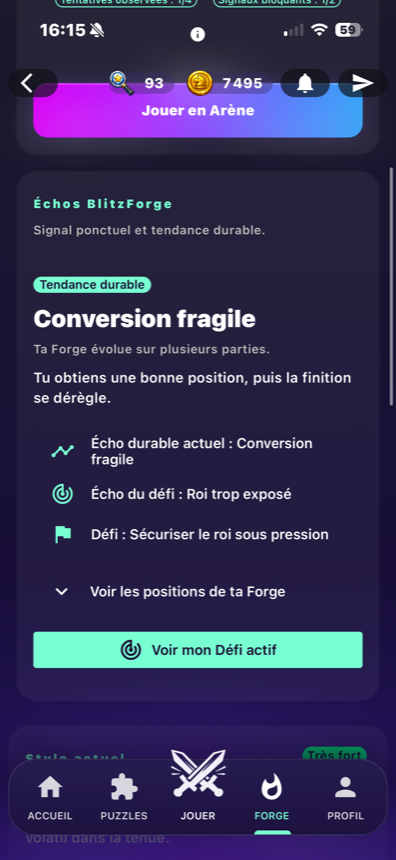
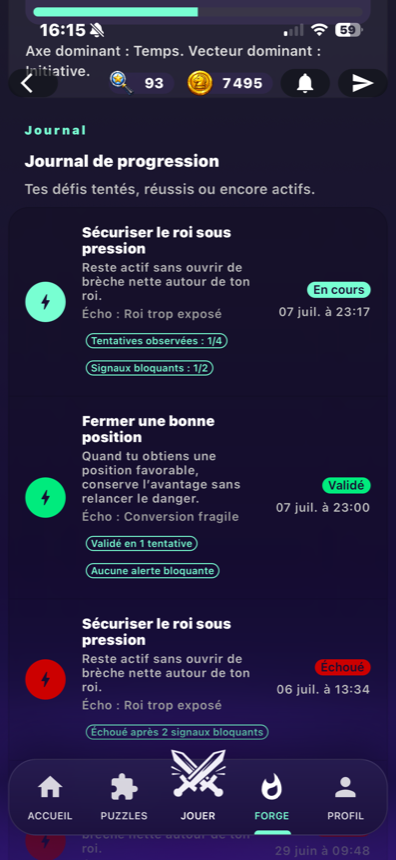
What the player profile can show.
The profile is the account-based view for activity and identity. Some social actions stay gated by account and target permissions.
Identity and activity
The profile page groups player identity, ongoing games, created puzzles, recent games and statistics.
Badges
A badge page and badge components exist to display progression markers.
Friend and challenge actions
Registered accounts can use friend and challenge actions when the target can receive them.
OpenHistory bridge
Recent games and histories connect the profile to later review and analysis paths.
OpenHow Forge style becomes visible.
Games create signals
Player activity feeds the style system through saved games and progression data.
Forge reads the style
The style profile stores axes such as tactics, conversion, time, solidity and endgames.
Stability matters
A public style is shown only when the reading is stable enough for display.
The player checks the profile
The profile and Forge screens surface style, badges and progression without exposing a public fingerprint claim.
Player style
Style can use axes like tactics, conversion, time, solidity and endgames, plus vectors like initiative or stability.
Profile personalization
Profile personalization appears as a Premium benefit, but exact public details stay on the Premium page.
OpenStyle, Echo and Proof are separate concepts.
BlitzForge uses Forge screens for player style, Echo, Proof and journal views. They are not presented as a broad public social network.
What the profile page does not claim.
No style for every player
A public style is not promised for every account.
No public fingerprint wording
The page uses player style, Echo and Proof, not a public fingerprint claim.
No broad social network claim
Friend and challenge actions are real; the page does not describe a public social network.
Profile, Forge style and journal screens.
Profile, Style and BlitzForge Echo.
Screenshots show player profile, style and progression journal.
Profile and style questions
What can a profile show?
Does every player have a public style?
Are Echo and Proof the same thing?
Can a guest edit a profile?
Build a profile that reflects real play.
Open BlitzForge, play a session, then use the profile and Forge screens to follow activity, badges, style and journal entries.