
Review the moves that changed your game.
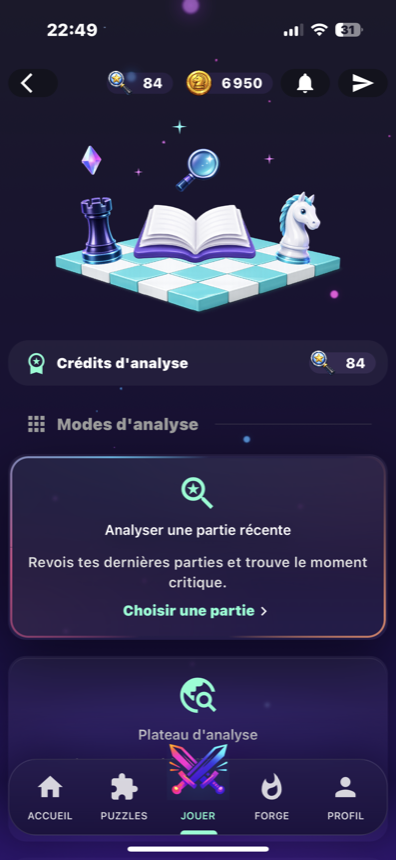
The Analysis hub opens recent game reviews, shows analysis credits and gives Premium players access to a free analysis board.
Game review and move quality.
A look at the analysis hub, best moves, critical errors and analysis credits.
A hub for reviews, credits and the analysis board.
BlitzForge separates recent game review from the free board. Full analysis is account-based, while the free board is gated by Premium access.
Recent game review
The hub offers a path to analyze recent games and find critical moments.
Analysis credits
The hub displays the analysis credit balance, and game reviews use those credits.
OpenPremium board
The free analysis board is a Premium feature for testing a position without linking it to a game.
OpenHow a player uses analysis.
Open Analysis
Start from the Analysis hub and check the available credits.
Choose a game
Open a recent game review or use the Premium free board when access is active.
Read move quality
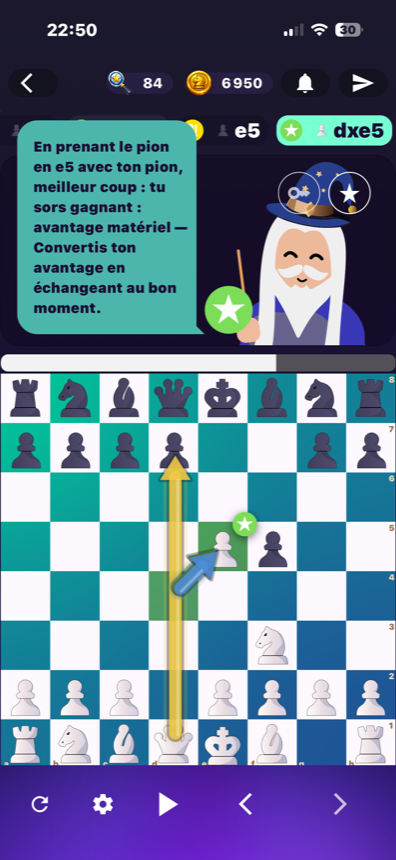
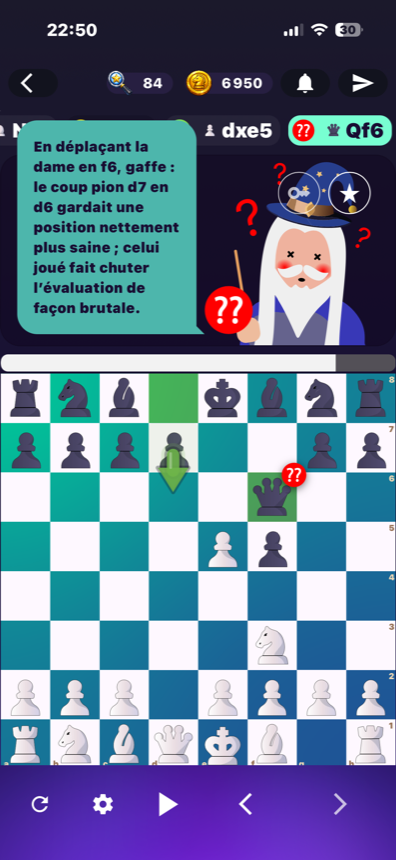
Navigate moves, icons and key moments instead of guessing where the game changed.
Train the next action
Use the review to choose a puzzle, a coach game or another training step.
Move quality
Moves can be labelled with values such as best move, inaccuracy, mistake or blunder.
Precision
The analysis data and player cards expose precision values for both sides.
Board probabilities
The analysis interface passes player probabilities to the board display.
Quality, precision and probabilities stay tied to the board.
The analysis interface carries move qualities, player precision values and board probabilities. Use those signals to locate the moves worth reviewing.
Clear limits for analysis.
No unlimited free analysis
Game reviews use analysis credits, so reviews are not presented as unlimited and free.
Credit balance first
Credits are real and visible in the hub; the app keeps the player close to the available balance before a review.
Review and board paths
Analysis is presented through the review hub, game analysis pages and the Premium board.
No human coaching claim
Analysis can connect to coach mode, but it is not presented as a human coaching service.
OpenAnalysis screens from BlitzForge.
Game review and move quality.
A look at the analysis hub, best moves, critical errors and analysis credits.
Analysis questions
Can guests use full analysis?
What are analysis credits?
Is the free board Premium?
Does analysis show move quality?
Review a game, then train the pattern.
Open BlitzForge to review a recent game, then move from the critical moment to puzzles or coach mode.